
LMU Broadcast Control plans
The free app has everything you need to broadcast a race. The Premium plan is for leagues running a season that want their own look on screen, remote commentary and a stewards room.
Free
For anyone broadcasting a race.
£0
- Live timing and incidents
- Replays, cameras and Auto Cam
- Broadcast overlays for OBS
- Livery Hub
- Google Sheets Race Control, the SM Bridge and Stream Deck
No licence, no account, and as many PCs as you like.
Premium plan
For leagues running a season with a regular crew.
£9.99 a month or £7.99 a month paid yearly (£95.88)
- Everything in Free, plus:
- Your league's look
- Additional overlays
- Additional standings tower features
- Advanced overlay features
- Commentary Portal, 2 seats
- Stewards Room, a race director and a steward
Subscribe monthly or pay yearly, £95.88
5 PCs per licence, 2 running at once. Payment is handled by Stripe, and your licence key arrives by email.
What the Premium plan adds
-
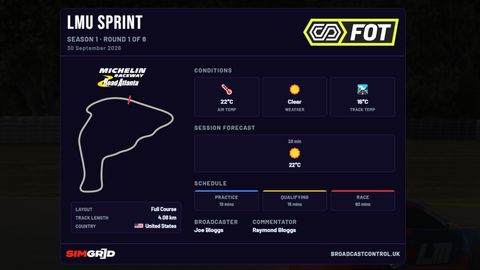 Your logos · Premium plan
Your league's look
Your colours, event logo and sponsor on the overlays, with each element placed where your broadcast needs it.
-
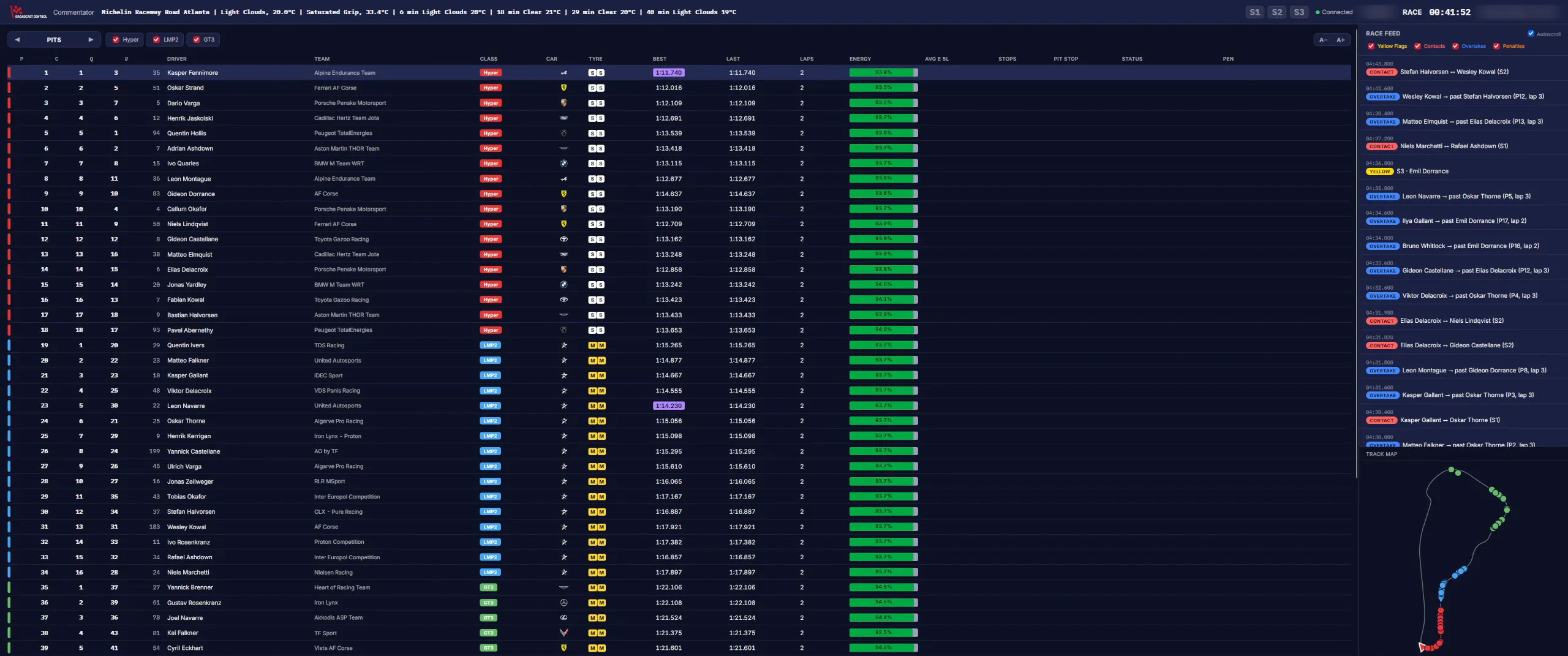
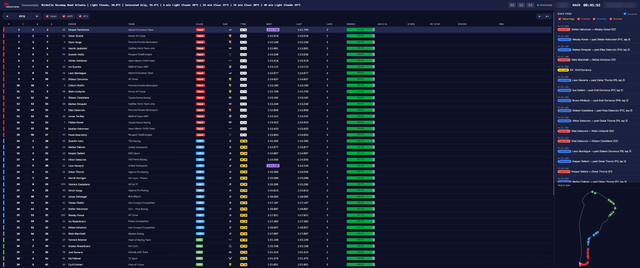 Commentary Portal · Browser
Commentary Portal
Live timing, the event feed and the track map for 2 remote commentators, in a browser with no install.
-
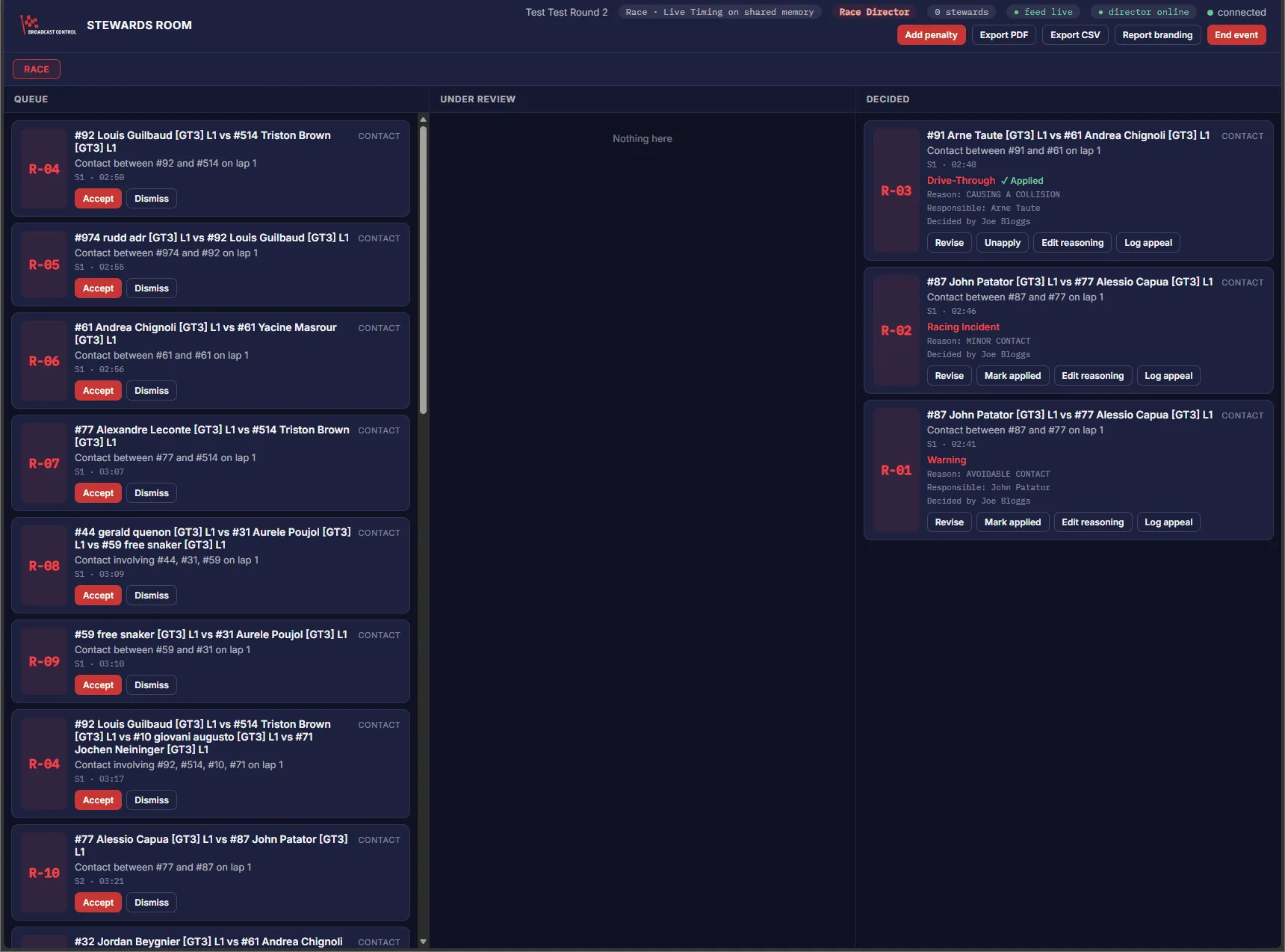
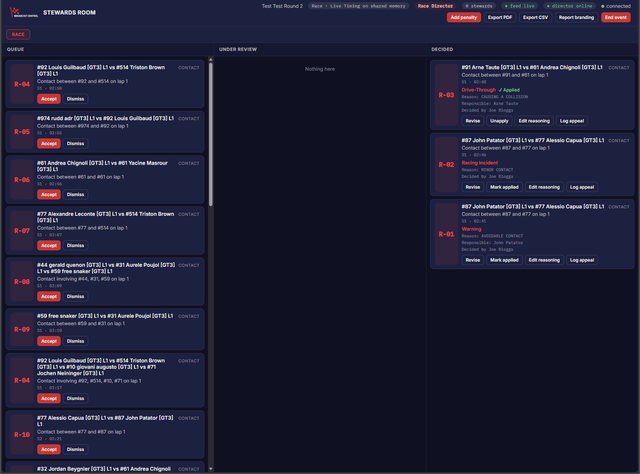 Stewards Room · Browser
Stewards Room
A shared room for a race director and a steward: incidents arrive from the app, rulings can go on the overlay, and reports export to PDF and CSV.
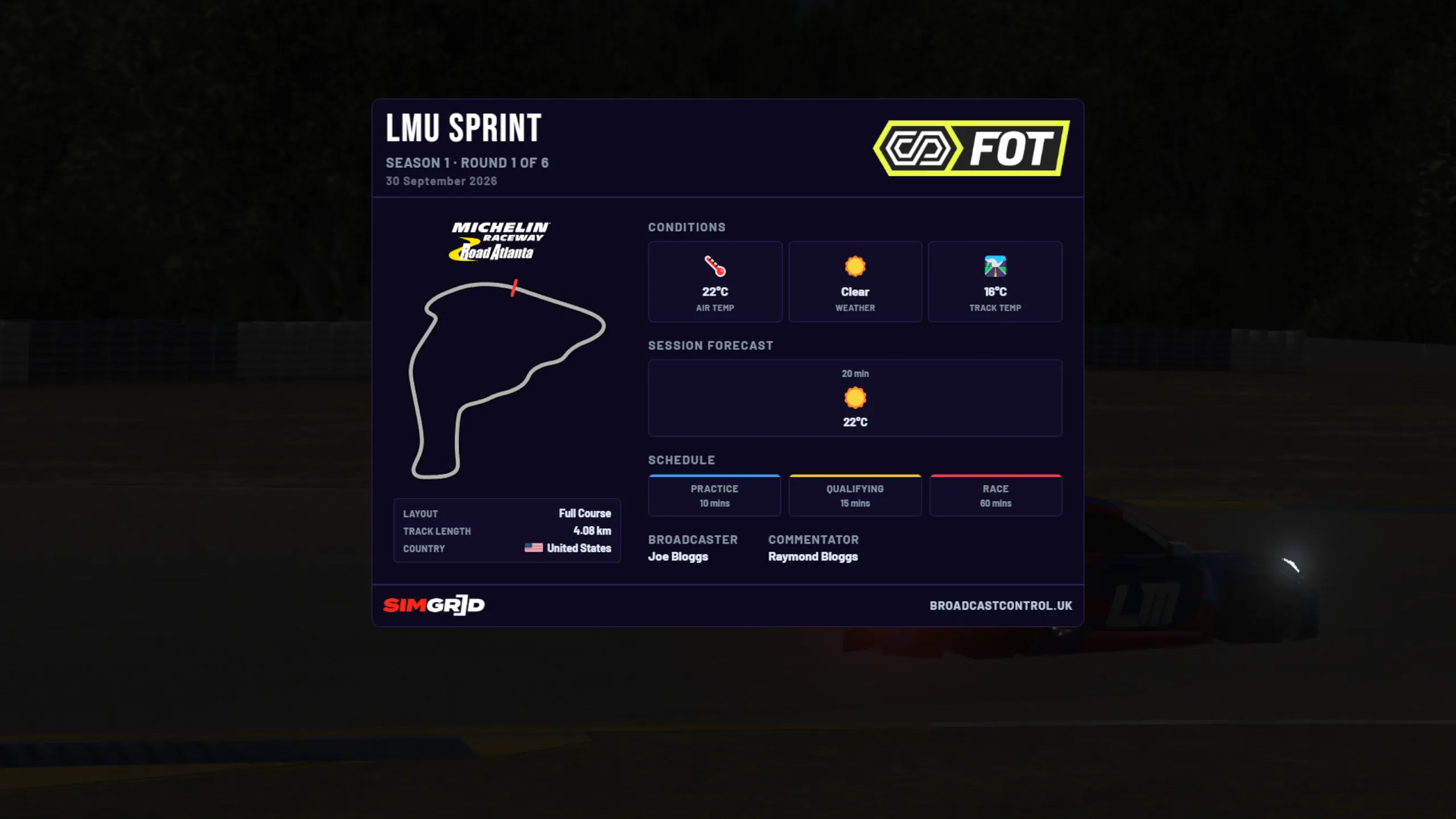
The free app is the full broadcast toolkit
Everything you need to broadcast a race is free, with no time limit: live timing, incident detection, replays, cameras and Auto Cam, the full set of overlays, the Livery Hub, Google Sheets Race Control, the SM Bridge and the Stream Deck plugin.
Before you subscribe
- Do I need an account for the free app?
- No. The free app never needs a licence or an account, and you can install it on as many PCs as you like. An account only exists once you subscribe.
- How do I start using the Premium plan?
- Subscribe, and your licence key arrives by email. Click Licence on the app's Home screen, paste the key and click Activate. It's the same app you download for free, so there's nothing else to install. Activating a key
- What counts as a device?
- On the Premium plan, each PC where you activate your key, up to 5, and Premium runs on 2 of them at the same time. The SM Bridge on a second game PC doesn't count, and you can remove a PC from your account to free up a place. The free app has no device limit.
- How do I manage or cancel my subscription?
- Sign in to your account with the email you subscribed with, and choose Manage billing. That opens Stripe's page, where you can update your card, see invoices and cancel. You keep the plan until the end of the period you've paid for. Billing and cancelling
- What happens if my subscription ends?
- The app goes back to the free features: the default theme and logo, with the plan's features switched off until you subscribe again.
- Can I get a refund?
- Yes, within 14 days of your first purchase of a plan: email support@broadcastcontrol.uk from the address you subscribed with, and you get a full refund. After that, part-used months or years aren't refunded when you cancel. Subscription terms ↗
- Do prices include VAT?
- There's no VAT to add. The price you see is the price you pay.
Compare plans
| Feature | Free | Premium plan |
|---|---|---|
| Broadcast | ||
| Live timing, incidents and Broadcast Control | Available | Available |
| Replays, cameras and Auto Cam | Available | Available |
| Broadcast overlays for OBS | Available | Available |
| Livery Hub | Available | Available |
| Incident bookmarks and highlights | Available | Available |
| Stream Deck, SM Bridge and Google Sheets Race Control | Available | Available |
| Premium plan | ||
| Your league's look: themes, logos and sponsor | — | Available |
| Additional overlays | — | Available |
| Additional standings tower features | — | Available |
| Advanced overlay features | — | Available |
| Commentary Portal seats | — | 2 |
| Stewards Room | — | 2 seats |
| Limits | ||
| Devices | Unlimited | 5 |